

How to Download Twitter (X) Videos on Mac (MacBook)
Save a public X (Twitter) video to your MacBook or iMac with Safari or Chrome in three steps, then find the MP4 in Downloads. No app or account needed.
X has no download button for videos, on the website or anywhere else. On a Mac you don’t need one: copy the post link, paste it into Xsavely in Safari or Chrome, and the MP4 lands in your Downloads folder. It works on every MacBook Air, MacBook Pro, iMac and Mac mini, Apple silicon or Intel, for public posts.
1. Copy the post link on x.com
- Open x.com in your browser and find the post with the video.
- Click the Share icon under the post.
- Choose Copy link.
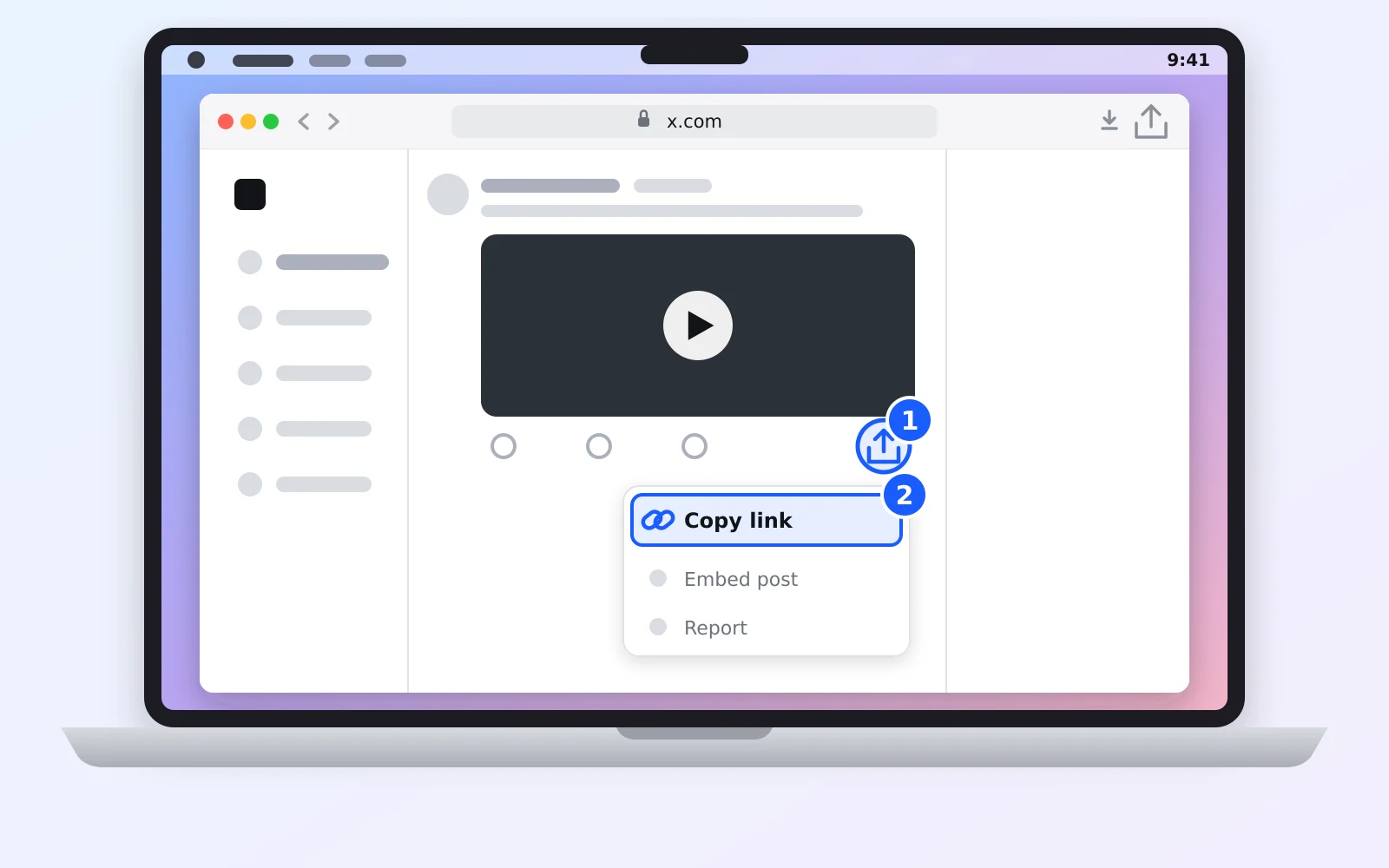
There’s a second way: click the post’s date to open it on its own page, then press ⌘L and ⌘C to copy the address from the address bar. Both give you the same link. More options in how to copy an X video link.
2. Paste the link into Xsavely
- Open the Twitter video downloader in Safari, Chrome or any other browser.
- Click Paste, or click in the box and press ⌘V. Then click Find Video.
- Click Download next to the quality you want.
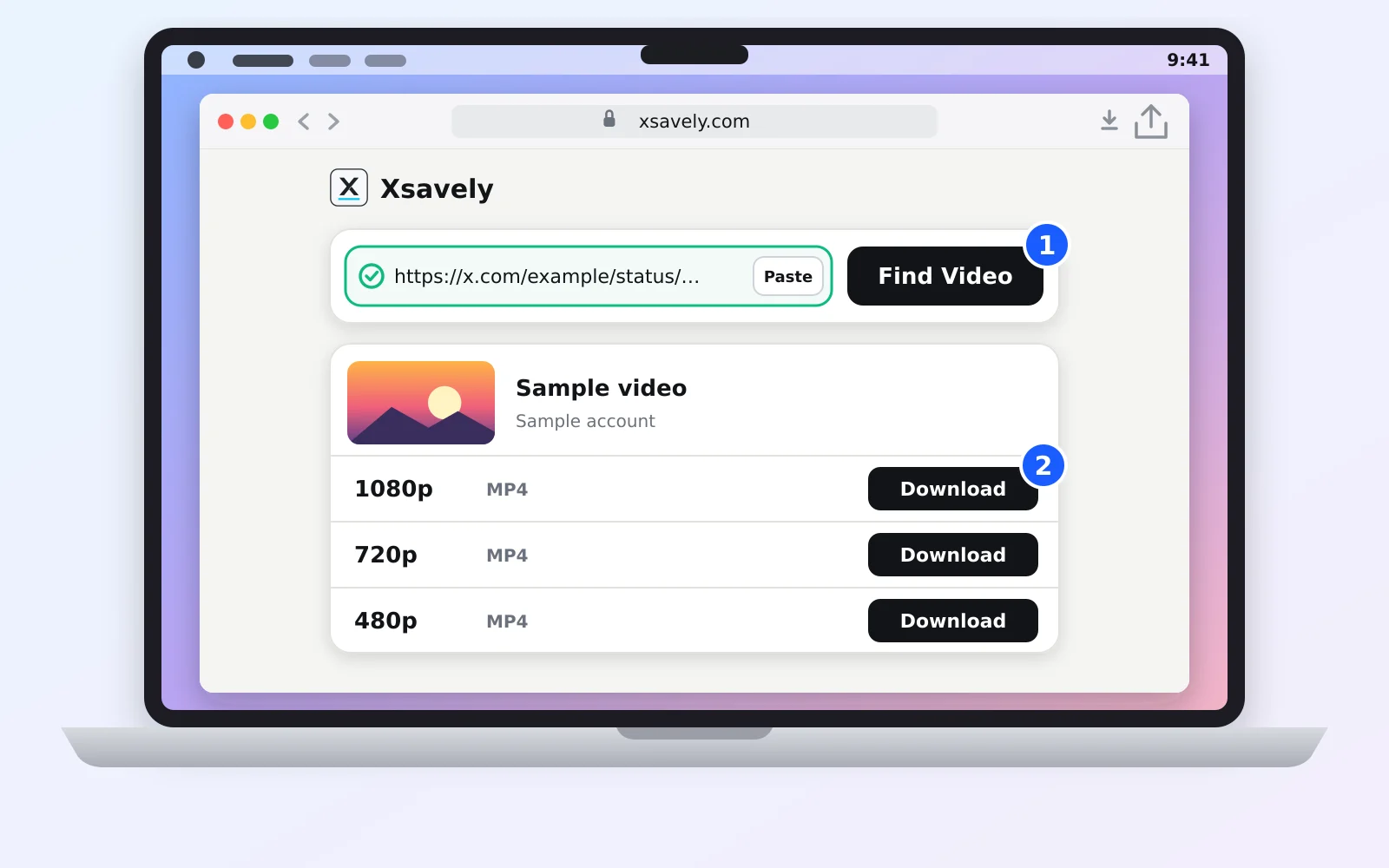
A MacBook’s Retina screen shows the difference, so pick 1080p when the post offers it. Choose 720p if you want a smaller file. GIFs on X are saved as short MP4 files.
3. Find the video on your Mac
The file goes straight to your Downloads folder. You can reach it three ways:
- Safari: click the Downloads button (the arrow) in the toolbar, or press ⌥⌘L. The magnifier next to the file shows it in Finder.
- Finder: click Downloads in the sidebar. From the menu bar it’s Go → Downloads.
- Dock: the Downloads stack next to the Trash shows the newest file first.
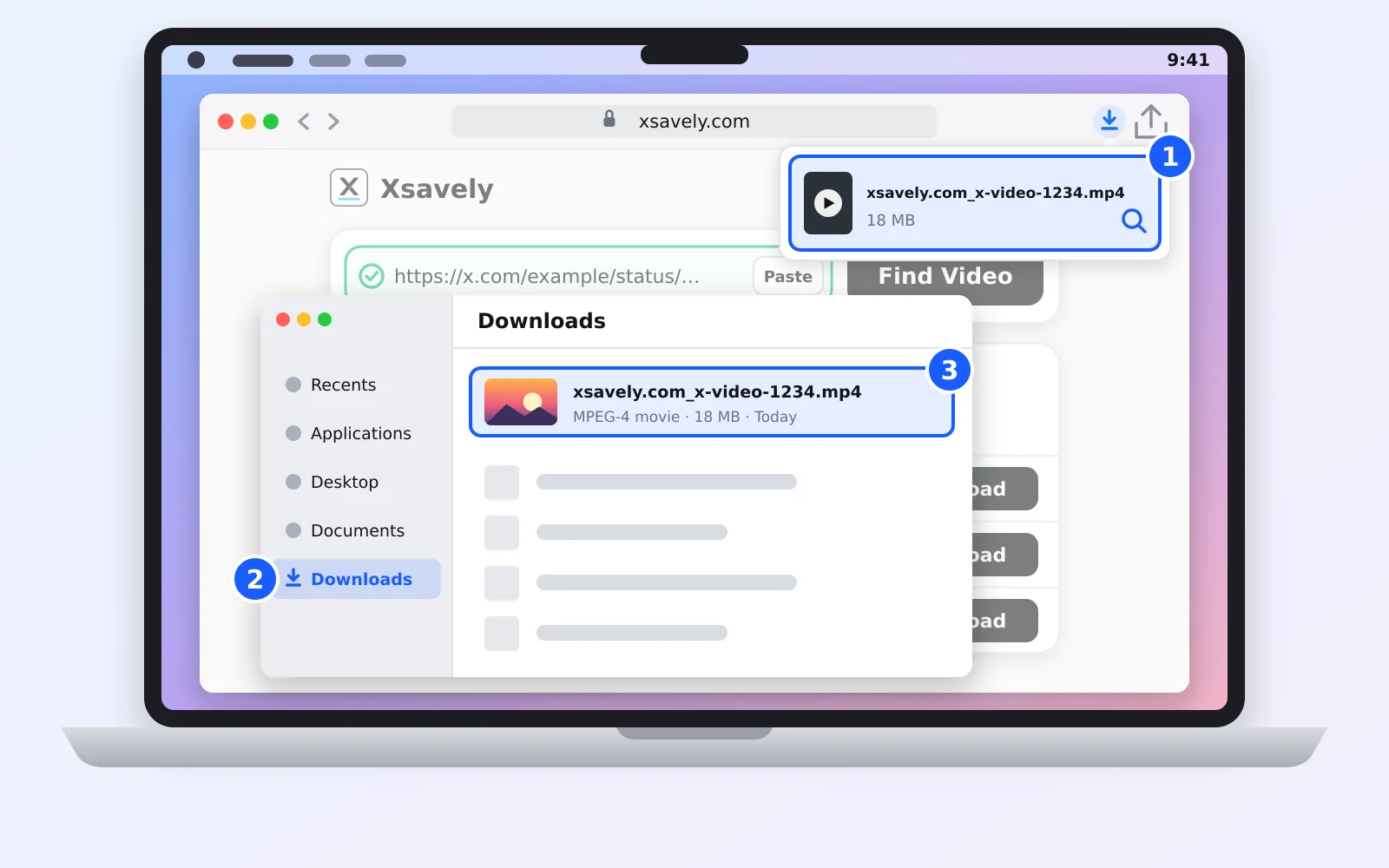
The file name starts with xsavely.com_, so a quick Spotlight search (⌘Space) for “xsavely” finds it too.
Watch, trim or send it to your iPhone
Double-click the MP4 and it opens in QuickTime Player. To cut it shorter, choose Edit → Trim (⌘T), drag the yellow handles and save. To move it to your iPhone, right-click the file and choose Share → AirDrop; it lands in the Photos app. The file also drops straight into iMovie or Final Cut Pro.
Chrome, Firefox and other browsers
The steps are the same in Chrome, Firefox, Edge, Brave and Arc. Only the download list moves: open the browser menu and choose Downloads. In Chrome the shortcut is also ⌥⌘L. Every browser saves to the same Downloads folder unless you changed it.
If the download doesn’t start
- Safari asks “Do you want to allow downloads on xsavely.com?” Click Allow. If you clicked Deny before, change it under Safari → Settings → Websites → Downloads.
- The Paste button does nothing. Safari sometimes shows a small Paste bubble you have to click. If it doesn’t, click in the box and press ⌘V.
- You can’t find the file. Check Safari → Settings → General → File download location. If it says “Ask for each download”, Safari asked where to save and the file is wherever you chose.
- Your disk is full. Free some space or pick a lower quality.
- The post is private or deleted. Only public posts can be downloaded. See why X videos won’t download for the other causes.
On your phone the route is a little different: how to download X videos on iPhone and on Android.
Only save videos you have the right to keep, and credit the creator if you share them.
Frequently asked questions
Do I need an app to download Twitter videos on a Mac?
No. Xsavely runs in your browser, so nothing has to be installed from the App Store or the web. Safari, Chrome and Firefox all work.
Where do downloaded Twitter videos go on a MacBook?
To the Downloads folder in your home folder. Open it from Finder’s sidebar, from the Downloads stack in the Dock, or from your browser’s Downloads list.
Can I download X videos with Safari?
Yes. Paste the link into Xsavely in Safari and click Download. If Safari asks whether to allow downloads from xsavely.com, click Allow.
Will the video play on my Mac and iPhone?
Yes. The file is a standard MP4 that opens in QuickTime Player on a Mac and plays in the Photos app once you send it to an iPhone with AirDrop.
Can I download a video from a private X account?
No. Only public posts are supported. Xsavely never asks for your X login, so it can’t see protected posts.
Is downloading X videos with Xsavely free?
Yes. It’s free, and you don’t need an account or a sign-up.