

How to Download Twitter (X) Videos on Android
Save a public X (Twitter) video to your Android phone with Chrome in three steps, then find it in Downloads or your gallery. No app or account needed.
The X app on Android has no save button for videos, but you don’t need another app. Copy the post link, paste it into Xsavely in Chrome, and the MP4 lands in your Downloads folder. This works for public posts on any Android phone: Samsung, Xiaomi, Pixel and the rest.
1. Copy the post link in the X app
- Open the post with the video.
- Tap the Share icon under the post.
- Choose Copy link.
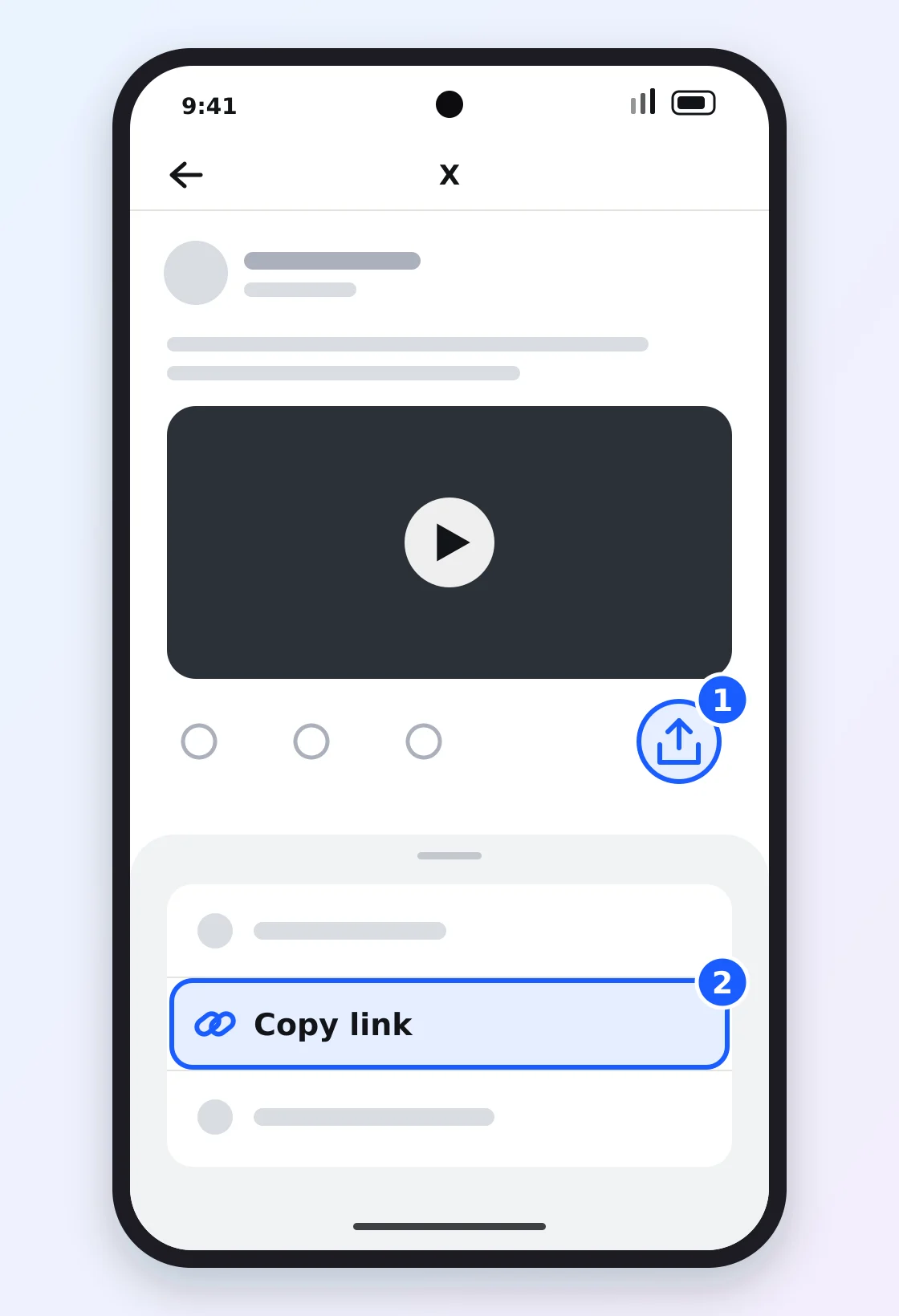
Can’t find the option? How to copy an X video link shows every screen.
2. Paste the link and pick a quality
- Open the Twitter video downloader in Chrome.
- Tap Paste, then Find Video.
- Pick a quality and tap Download.
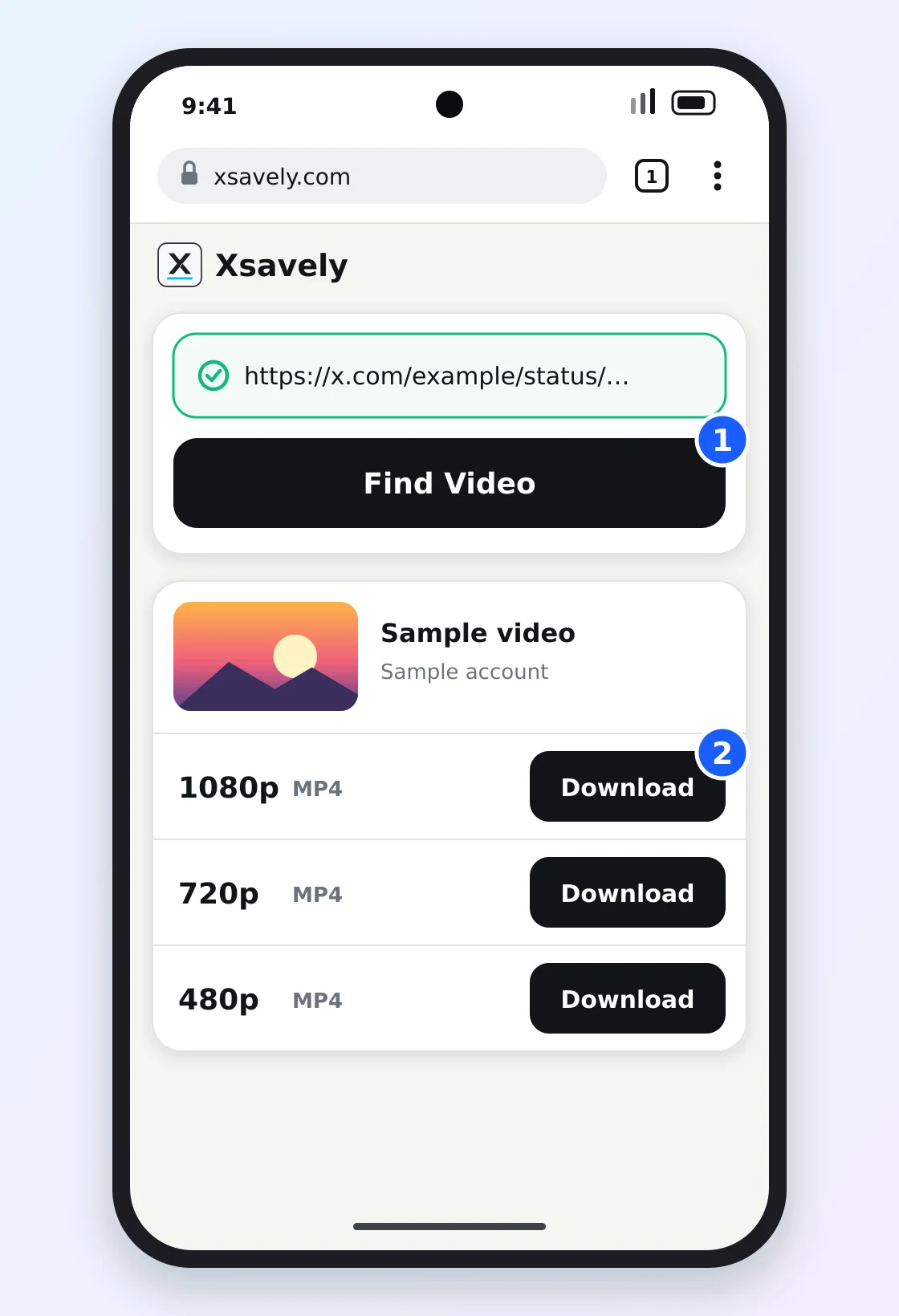
720p is plenty for a phone screen and keeps the file small. Pick 1080p, when the post offers it, if you’ll watch on a bigger screen. GIFs on X are saved as short MP4 files.
3. Find the video on your phone
Chrome shows Download complete when the file is ready. Tap it to play the video, or look in one of these places:
- Chrome: tap ⋮ → Downloads.
- Files app: open Downloads. On Samsung phones it’s My Files → Downloads.
- Gallery: the video sits in an album called Download. In Google Photos, look in the device folders.
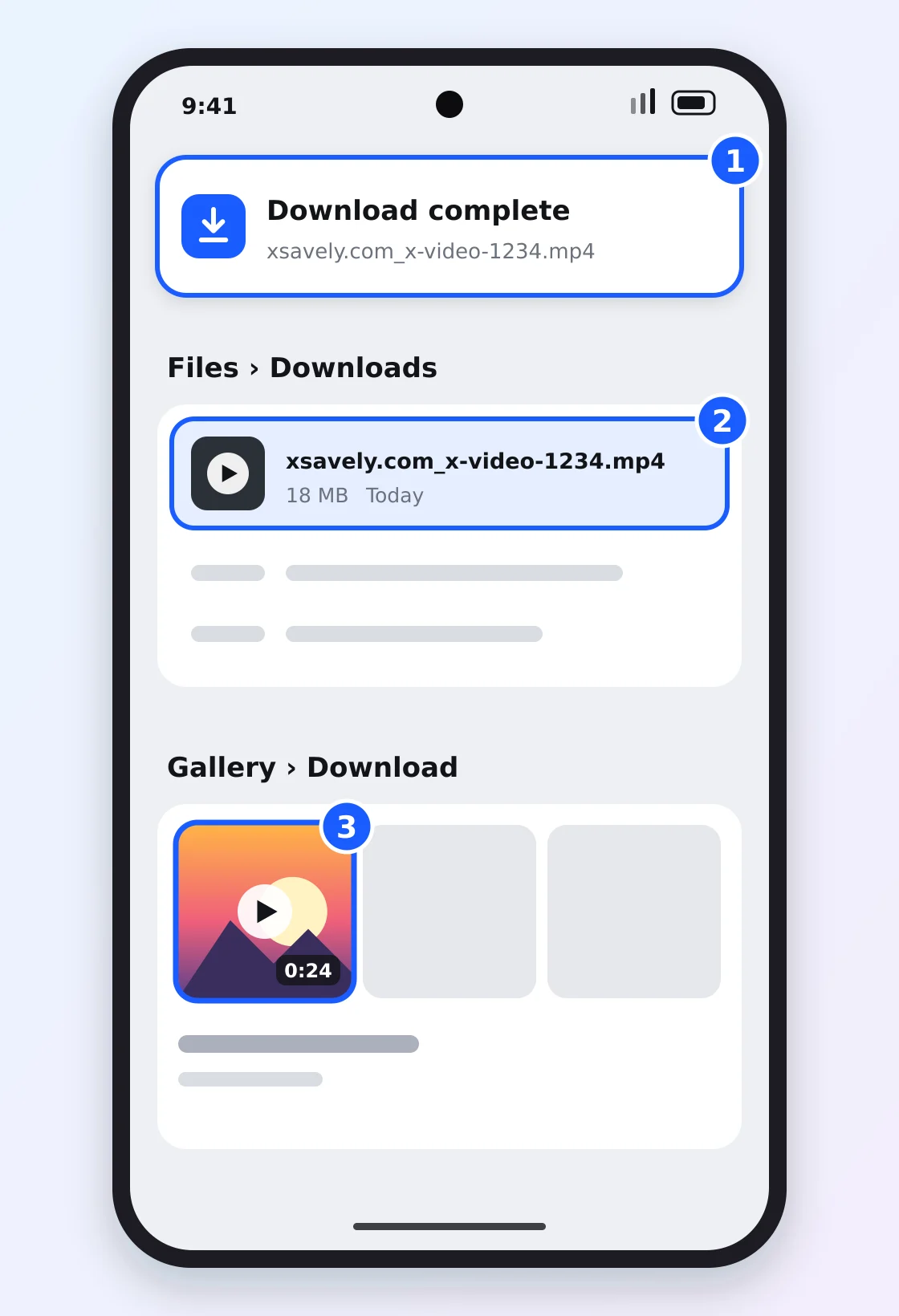
The file name starts with xsavely.com_, so searching your phone for “xsavely” finds it fast.
Samsung Internet, Firefox and other browsers
The steps are the same in any current Android browser. Only the download list moves: open the browser menu and tap Downloads. The file goes to the same Downloads folder.
Share straight from the X app
Android lets a website join the Share menu. Open Xsavely in Chrome and tap ⋮ → Install app (newer versions say Add to Home screen → Install). After that, tap Share on a post, choose Xsavely, and the downloader opens with the link already filled in.
If the download doesn’t start
- You’re in the X app’s built-in browser. Links opened inside X don’t always hand files to your phone. Tap the menu and choose Open in Chrome.
- The video plays in a tab. Tap ⋮ on the player and choose Download.
- Chrome asks to save files. Allow it; without that permission nothing is written to Downloads.
- Storage is full. Free some space or pick a lower quality.
- The post is private or deleted. Only public posts can be downloaded. See why X videos won’t download for the other causes.
On an iPhone the route is a little different: how to download X videos on iPhone.
Only save videos you have the right to keep, and credit the creator if you share them.
Frequently asked questions
Do I need an app to download Twitter videos on Android?
No. Xsavely runs in your browser, so nothing has to be installed from the Play Store. Chrome, Samsung Internet and Firefox all work.
Where are downloaded Twitter videos saved on Android?
In the Downloads folder of your phone’s storage. Open it from Chrome’s Downloads list, from the Files app, or from the Download album in your gallery.
Why doesn’t the video show up in my gallery?
Gallery apps can take a minute to scan new files, and they file downloads under a Download album, not with your camera photos. Opening the video once from the Files app usually makes it appear.
Can I download a video from a private X account?
No. Only public posts are supported. Xsavely never asks for your X login, so it can’t see protected posts.
Is downloading X videos with Xsavely free?
Yes. It’s free, and you don’t need an account or a sign-up.